Annotating using Napari
You want to “teach” the RFC to recognize edges so that it can be more robust against clumping. So, I suggest you label the edges of your puncta first and then use the fill bucket to label your puncta.
Instructions
-
Create a labels layer by clicking on this icon:

- You can rename it by selecting the labels layer in the layer list and double clicking it.
-
Click on the paint brush icon:

- Select the color you want to annotate your background with by using the + and - next to the label setting in the top left widget named layer controls.
- Adjust the brush size with the brush size slider so that you can draw accurate borders. I usually choose 1.
-
Label the edges of your puncta like this:
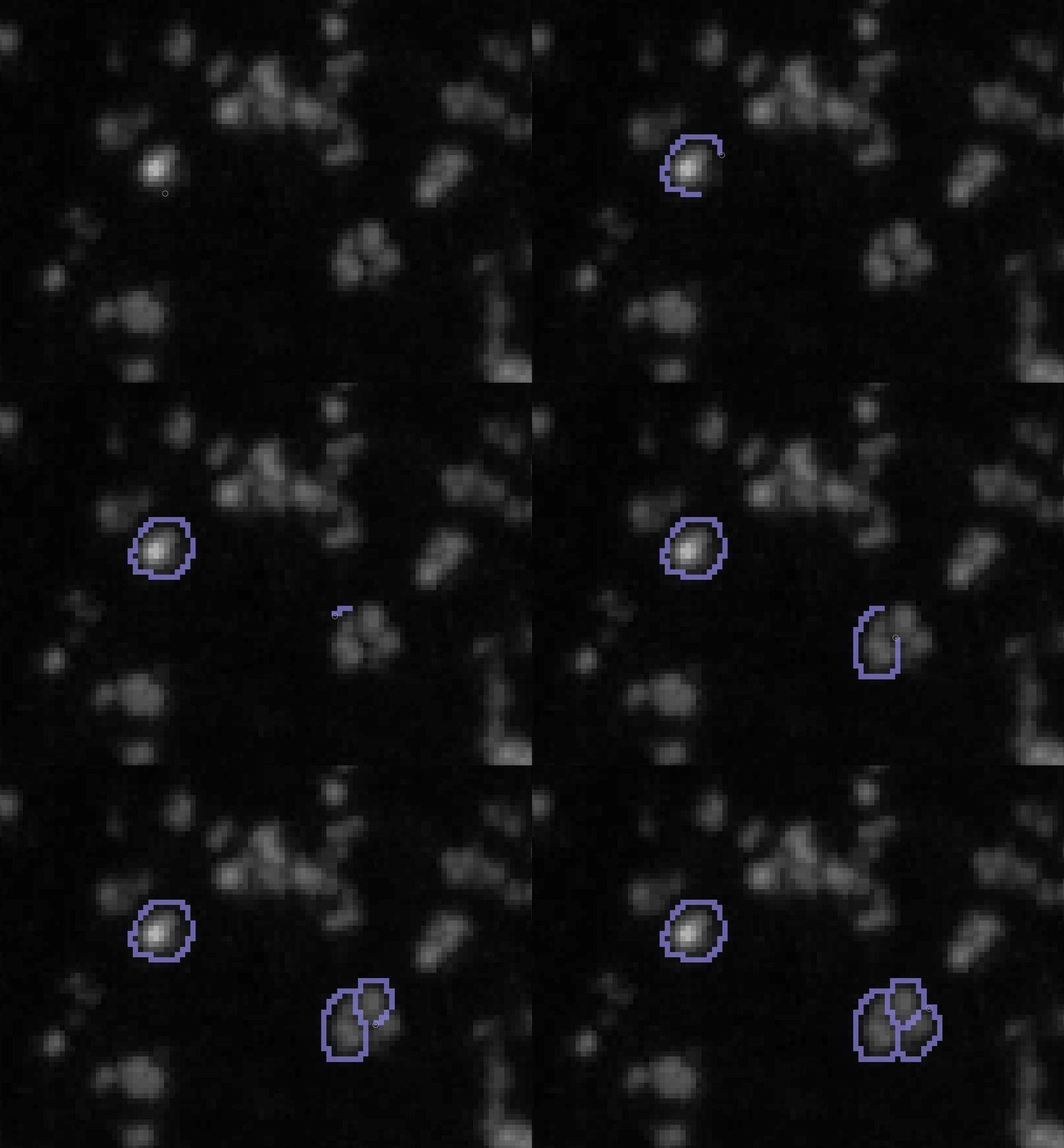
-
Make the brush size larger (10 <) and create larger background annotations like this:
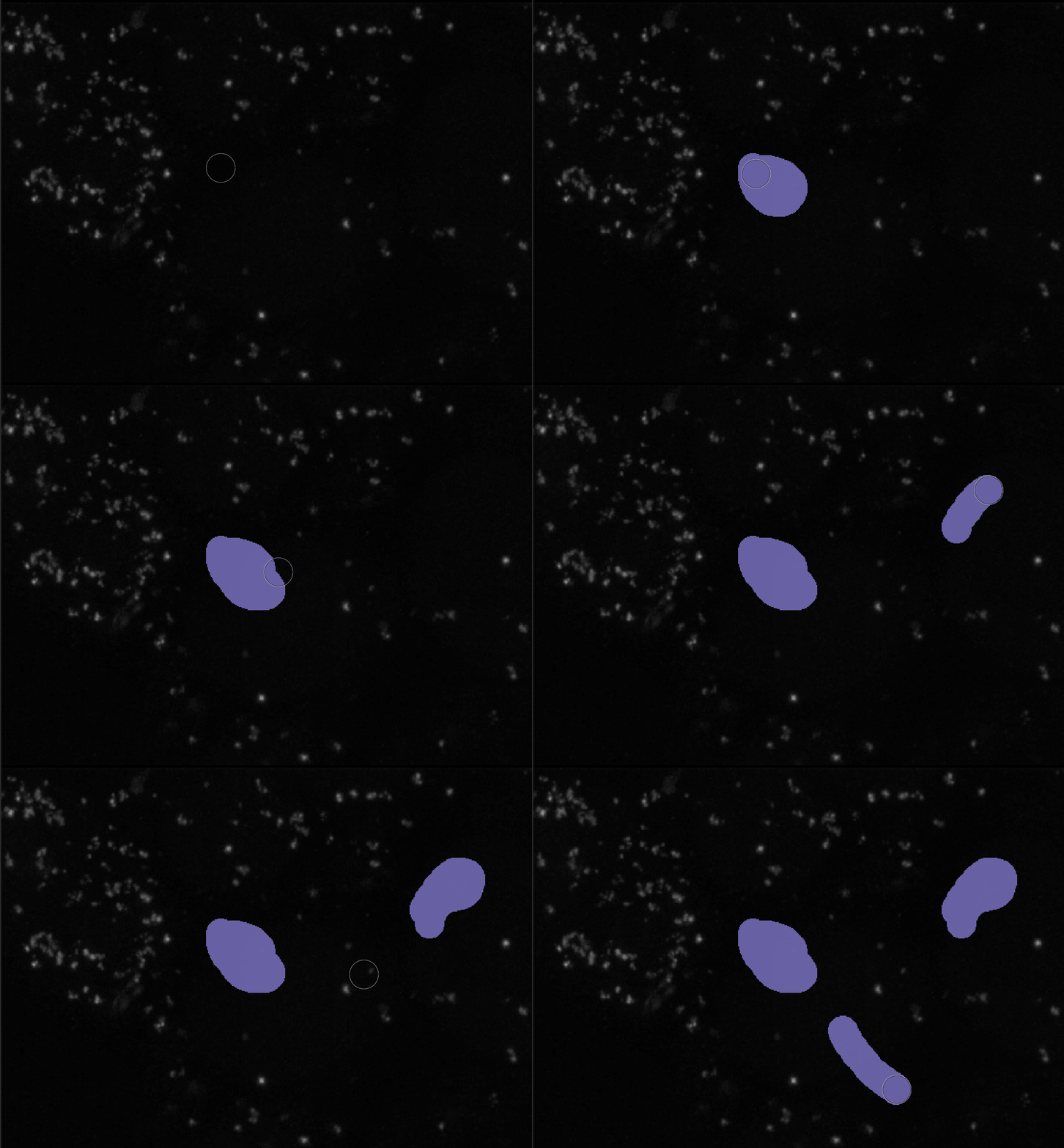
- Click on the fill bucket in the layer controls widget.
- Select the color you want to annotate your puncta.
-
Fill in your puncta.
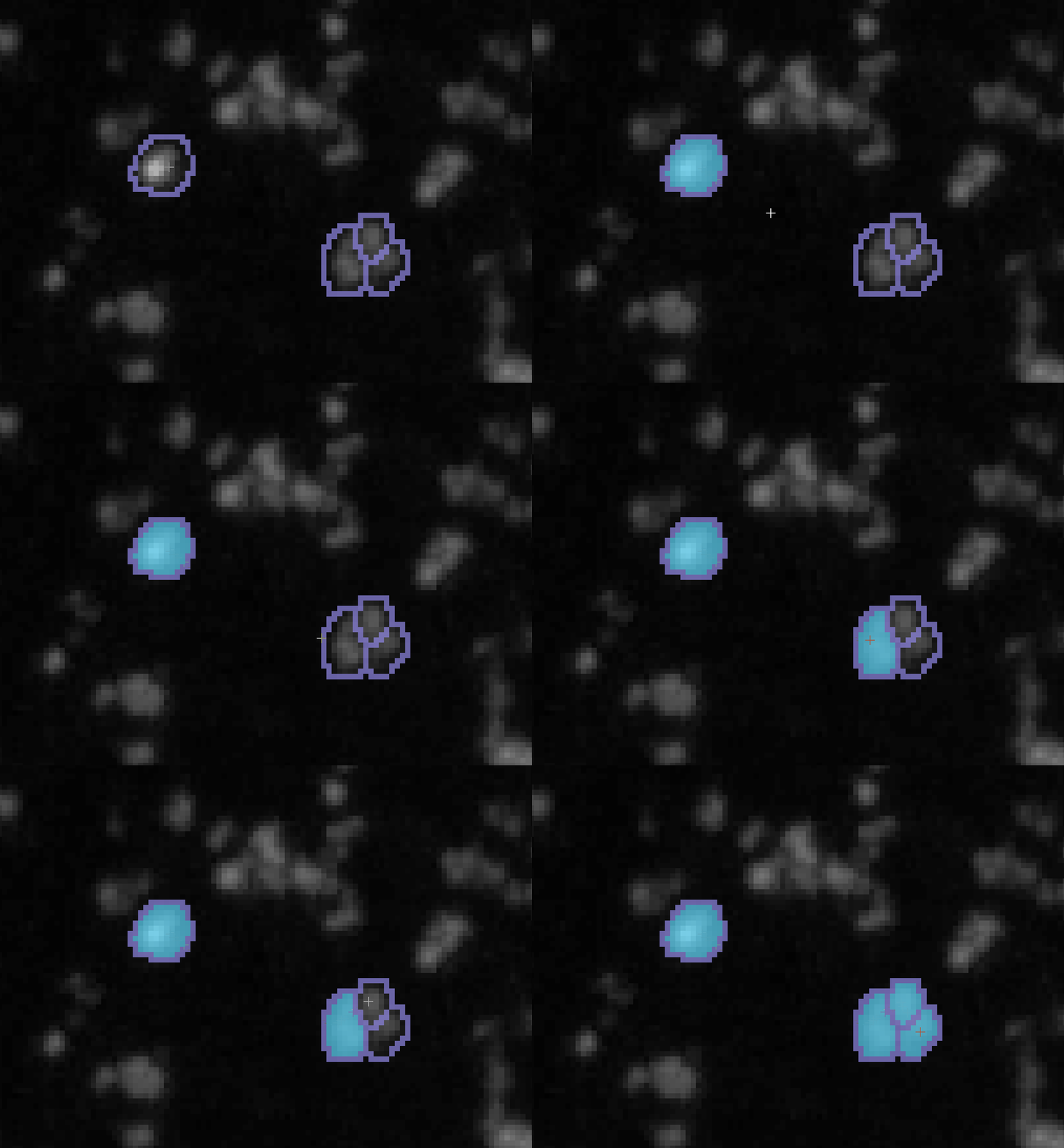
- Try and label puncta of different sizes and brightness and segment out the ones in clusters. You only need to provide several training examples before you saturate the RFC, i.e., you don’t need to annotate the entire image.